
Applications
Overview
In Ascerta, an Application refers to a specific service, product, or system that makes API calls to AI providers.
Each application represents an individual service or system making AI provider requests and can contain one or more Use Cases.
Applications in Practice
Applications typically represent:
- Individual products or services your company offers
- Different environments (development, staging, production)
- Distinct systems or microservices that use AI capabilities
Application Management
Creating Applications
Applications in Ascerta must be explicitly created through the dashboard interface:
-
Navigate to the Organization view
-
Click the "+ Create Application" button in the top-right corner

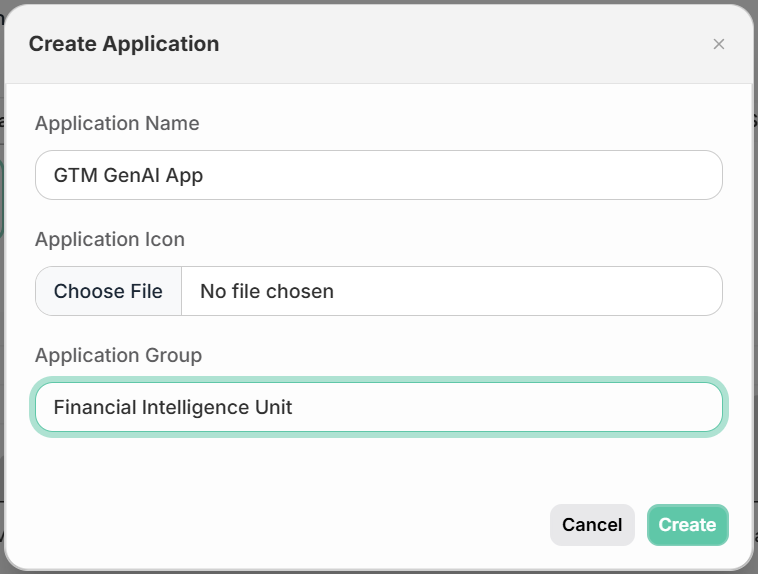
- In the modal dialog that appears:
- Enter an "Application Name" that describes your service or system
- Select an "Application Group" from the dropdown (or use the default). For more information about Groups, see the Groups documentation.
- Click "Create" to finish
When an application is created, Ascerta automatically generates API keys for it. These API keys are used to authenticate requests to Ascerta and are specific to that application.
Accessing API Keys
After creating an application:
- Go to the application's Settings page
- Find the API Keys section
- Copy the keys as needed for your implementation
See Getting Started with Ascerta for more information.
Updated 12 days ago
Did this page help you?